How to Make an AI Elf Dance Video From One Photo
Turn yourself into a dancing Christmas elf from one photo: the photo that works, what happens in the 10 seconds, and how to post it as your Christmas card.
Every December people turn themselves into elves online. For years that meant your face pasted onto a cartoon body. The AI elf dance does it properly: gold sparkles change your clothes into an elf suit, and you, with your own face and body, dance by a lit Christmas tree. Here is how to make yours from one photo.
1Upload a photo of you
JPG, PNG, WebP or HEIC · under 20 MB0/1 photos
Photos that work best
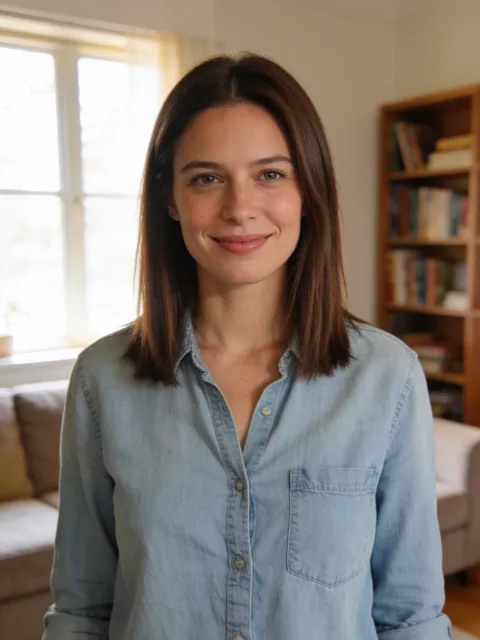
- Clear, waist up
- Screenshots, stickers
- Head only
- Too dark or blurry
- 10 s video
- 9:16, like the original
- Original song available
- No watermark
2Choose your version
By making a video, you confirm you own these photos or have permission from everyone in them, and they don't show celebrities or anyone under 18.
Renders in about 5–10 minutes. We email you the link. Automatic refund if the photo is rejected or the render fails.
Step 1: Choose the right photo
The dance shows your whole body, so the photo matters more than for a selfie filter.
- From the knees up or full body. A close selfie works, but your build is guessed from it.
- Face to the camera, good light. Daylight from a window is ideal.
- No sunglasses, hats or heavy filters. The hat comes with the suit anyway.
- Wear anything. Your clothes turn into the elf suit, so there's nothing to dress up for.
Add it at the top of the home page.
What happens in the 10 seconds
- 0–1 s, the change. You stand by the tree in your own clothes and smile. A burst of gold sparkles turns them into a red and green elf tunic with gold buttons, a wide belt, striped stockings, curled shoes, pointy ears and a tall hat with a bell.
- 1–8 s, the dance. You hop from side to side, kick up your heels, swing your arms out and spin once, laughing at the camera.
- 8–10 s, the wink. The camera moves in to your knees, you flick the bell on your hat and wink.
Step 2: Pick a version and wait a few minutes
Balanced is the cheaper version and starts at 10 credits. Premium keeps faces closer to the photo and goes up to 1080p: 20 credits at 480p, 40 at 720p and 70 at 1080p. The order form shows the price in dollars before you pay, and you don't need an account to buy one video. If a render fails, you get your credits or money back automatically.
Step 3: Post it as your Christmas card
The clip has no text, so it's ready for your own words:
- "Merry Christmas from your favourite elf 🎄" plus your name.
- "Santa's new hire" for the office party slides.
- "Reporting for elf duty" for your stories.
Download the version with the jingle-bell beat, or download it silent and pick a Christmas song in TikTok, Instagram or CapCut. Send it to the family group chat instead of a card.
Want to film it for real?
You can. You need an elf costume, a decorated tree, a friend to film and a few takes to land the heel kicks and the spin in one go. The AI version skips the costume and the set. Your photo is enough.
More costume videos
Want something besides Christmas? CostumeWalk AI also makes the Ramalama costume walk, the viral Bang Bang strut in fifteen costumes.